关于Mdmdt主题
Mdmdt 是 markdown minimalism document theme 的缩写,意为: Markdown极简文档主题。 Mdmdt1是深度定制的个性化Typora主题,其目的是打造一个清爽极简的文档样式。
Note
注意:mdmdt.css 文件中包含了亮色和暗色两者主题,会跟随系统模式自动切换亮暗主题。 This is a single line code style
Attention: The MDMDT.CSS file contains both light and dark themes, which will automatically switch between light and dark themes according to the system mode.
文本
这是一段正文内容样式,以下是不同文本样式效果:这是加粗文本样式, 这是下划线样式, 这是斜体字样式, 这是超链接样式: https://github.com/cayxc/mdmdt, This is a single line code style, 这是删除线效果样式, 这是文字高亮效果,上下标样式:
This is a text content style and the following are the effects of different text styles: This is a bold text style, This is a hyperlink style: https://github.com/cayxc/mdmdt, This is the italic font style, This is the strikethrough effect style, This is the underline style, This is a single line code style, keyboard key style: Command+Q,
数学公式
直接使用公式:
列表
这些是列表样式效果:
这是有序列表 A
这是有序列表 B
This is Item 1.
This is Item 2.
Something is Not TODO.
Something is DONE.
这是有序列表 A
这是有序列表 B
这是有序列表 A
这是有序列表 B
This is Item 1.
This is Item 2.
This is Item 1.
This is Item 2.
这是嵌套列表样式:
这是有序列表 A
这是有序列表 B
This is Item 1.
This is Item 2.
Something is Not TODO.
Something is DONE.
这是有序列表 A
这是有序列表 B
This is Item 1.
This is Item 2.
Something is Not TODO.
Something is DONE.
代码
单行代码样式:composer require --dev barryvdh/laravel-ide-helper
大段代码块样式:
xxxxxxxxxx201/**2 * ----------------------------------------3 * 设置递增的 level 编号4 * ----------------------------------------5 * @param tag obj 标签对象6 */7setLevelNumber(tag){8 try {9 if ((typeof tag) != 'object') {10 throw 'setLevelNumber() 调用时参数类型错误,必须是一个h标签的对象集合!';11 }12 let str = tag.id;13 if (str.lastIndexOf('.') == -1) { //如果是一级目录形式 level-100014 let newValue = parseInt(str.slice(6)) + 1;15 return 'level-' + newValue;16 }17 } catch (err) {18 return err;19 }20}表格样式
| Left-Aligned | Center Aligned | Right Aligned |
|---|---|---|
| This is the first line | this is code some wordy text and some code | $160 |
| This is the second line | some code: this is code centered | $1200.99 |
| This is the third line | These are some texts | $125.5 |
引用文本框
Note
This is a Note text box ...... this is code style
This is a Note text box ......
Tip
this is codeThis is a Tip text box ......xxxxxxxxxx21these are codes...2...This is a Tip text box ......
This is itemA
This is itemB
This is itemC
Important
This is a Important text box ......
Warning
This is a Warning text box ......
Caution
this is code This is a Caution text box ......
个性化图文布局
单张图片
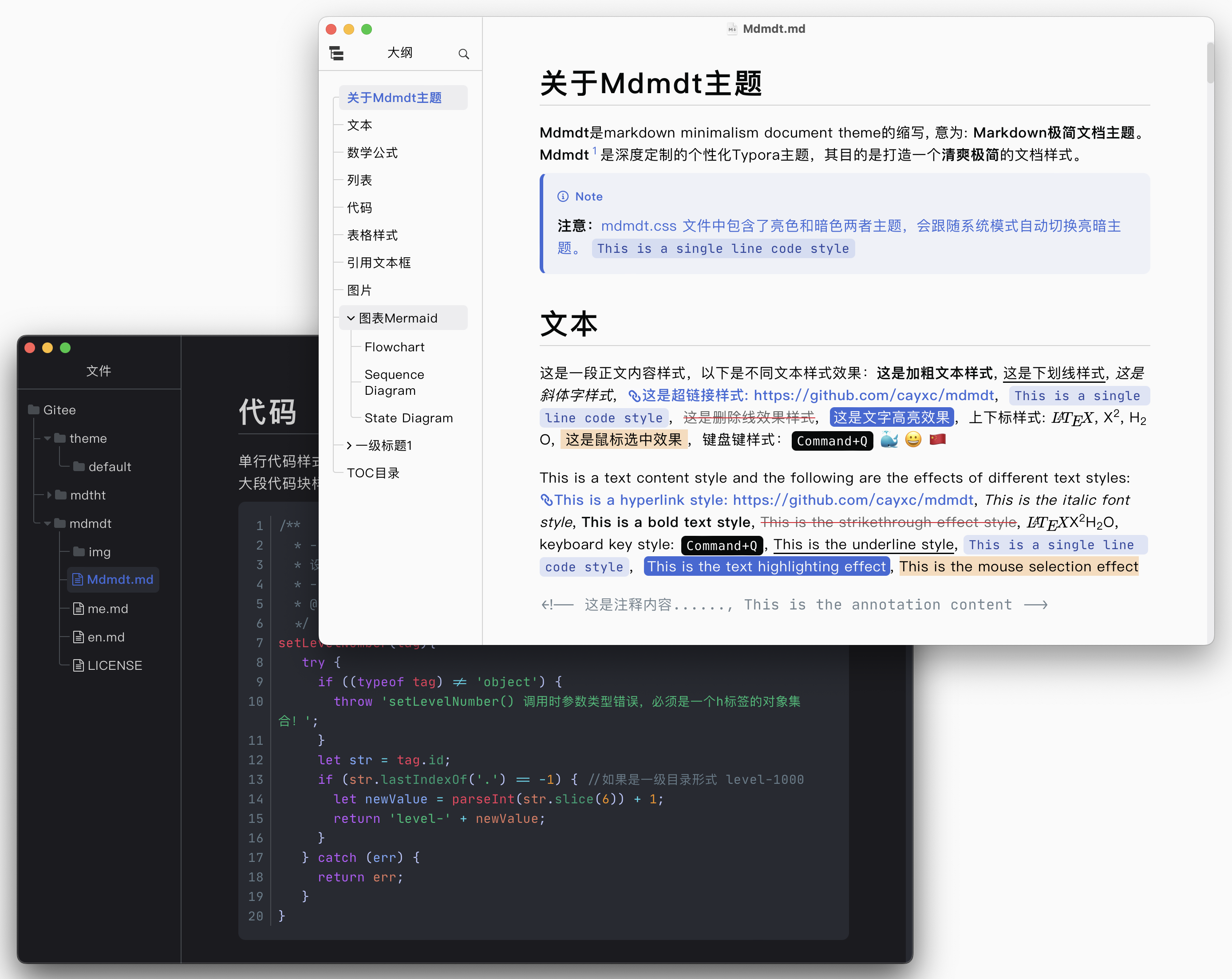
多图并排
图片的个性化排列使用方式是将图片放到一个容器中,该容器为 <section> 标签,如下所示:
直接输入
<section>然后回车,如下:xxxxxxxxxx31<section>23</section>在
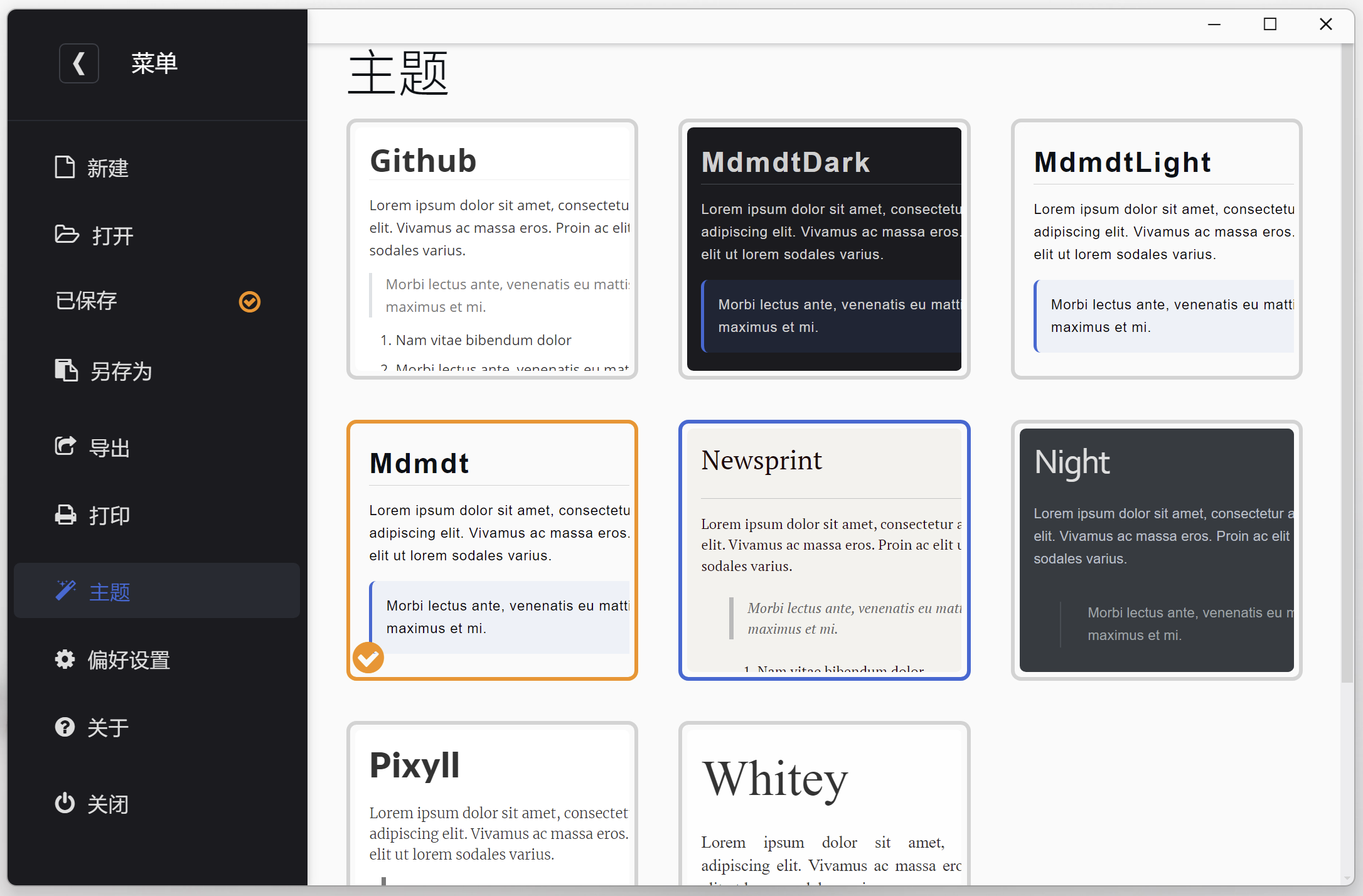
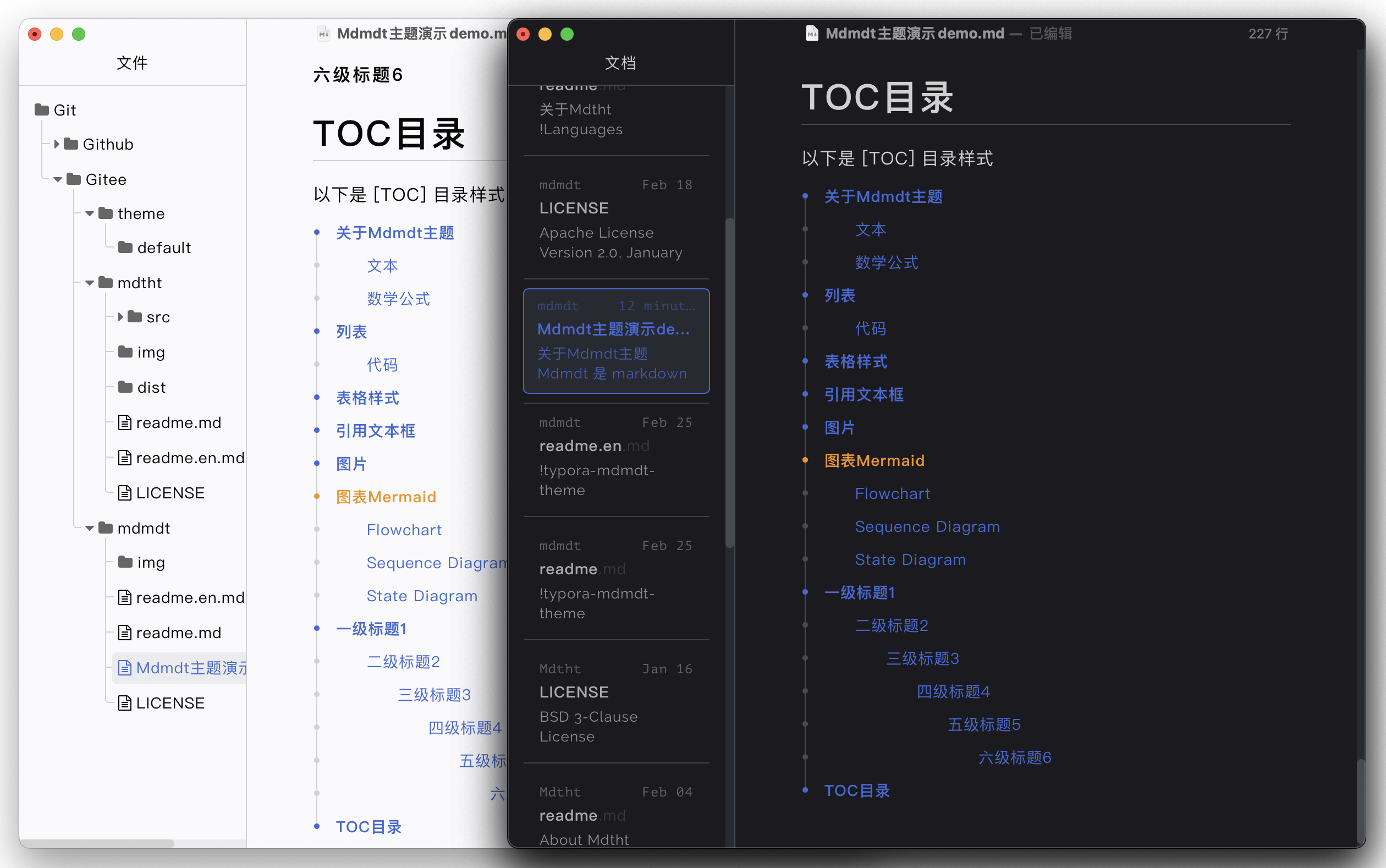
<section>标签中插入图片,如下:xxxxxxxxxx61<section>2<!-- 想要几张图并排,就在此处插入几个 <img> 标签: <img src="图片的相对路径/绝对路径"></img> -->3<img src="https://EzXxY.github.io/img/06-theme/mdmdt-code.png"></img>4<img src="https://EzXxY.github.io/img/06-theme/mdmdt-source.png" style="width: 200px"></img> <!-- 单独设置图片的宽度为200px -->5<img src="https://EzXxY.github.io/img/06-theme/mdmdt-title.png"></img>6</section>
效果预览:
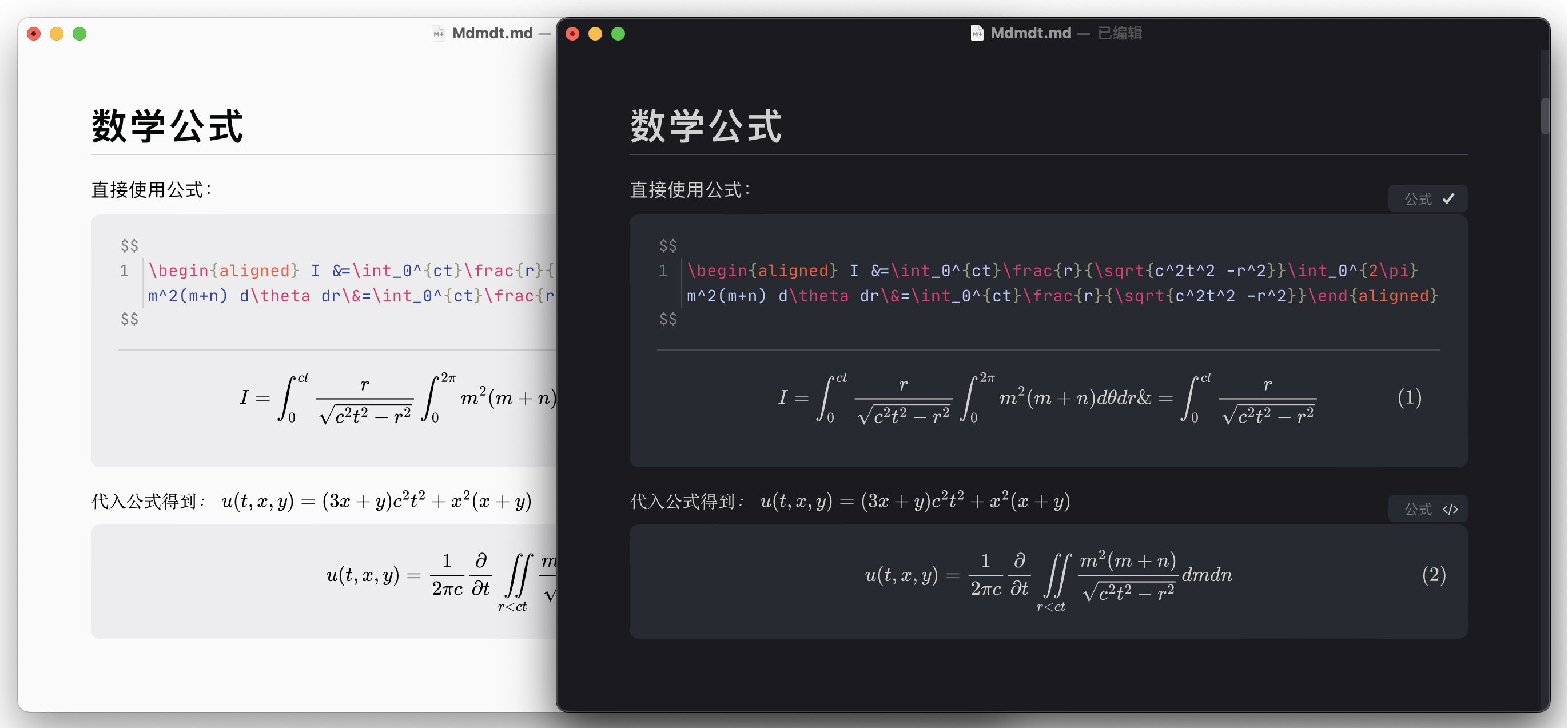
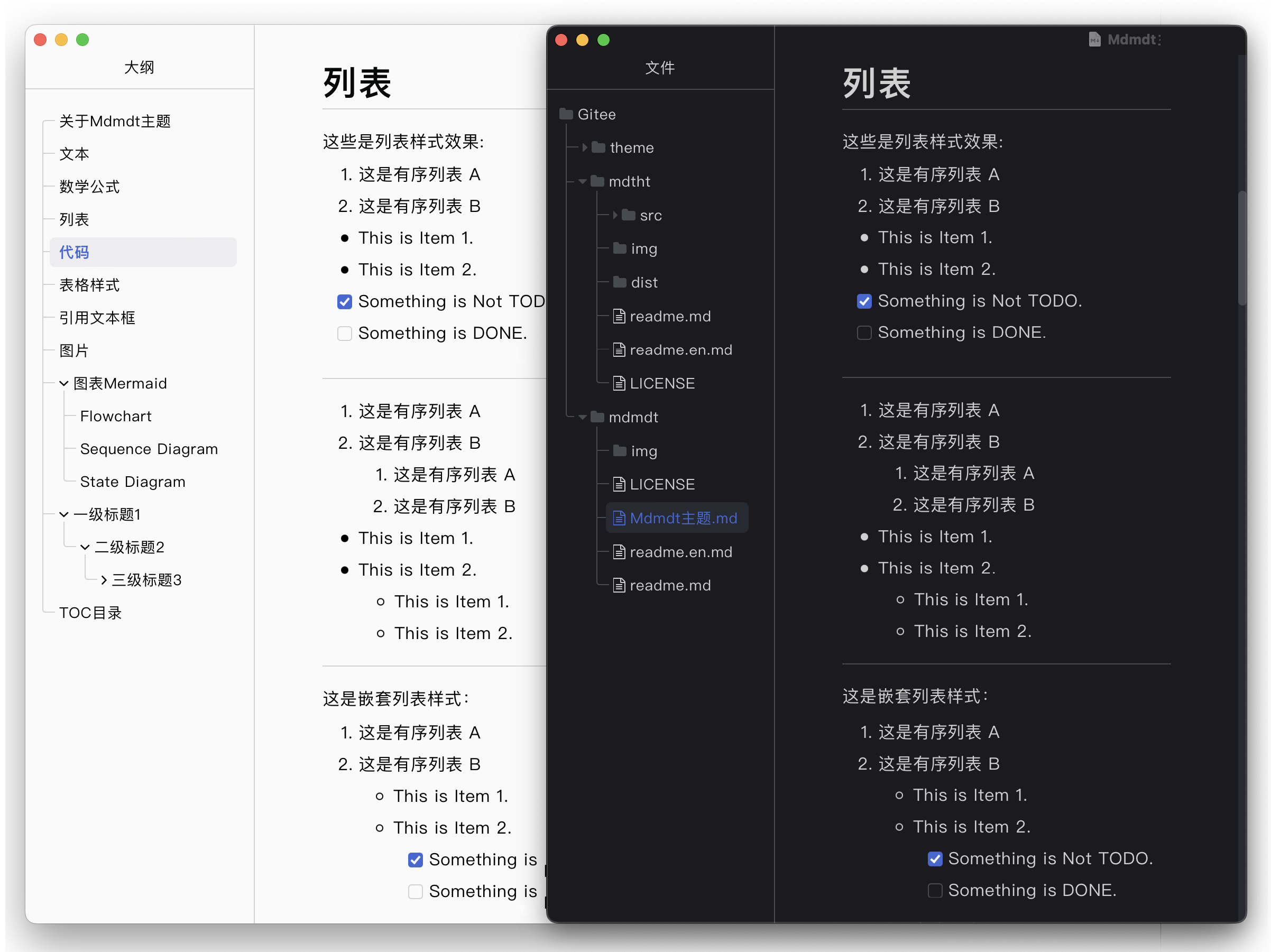
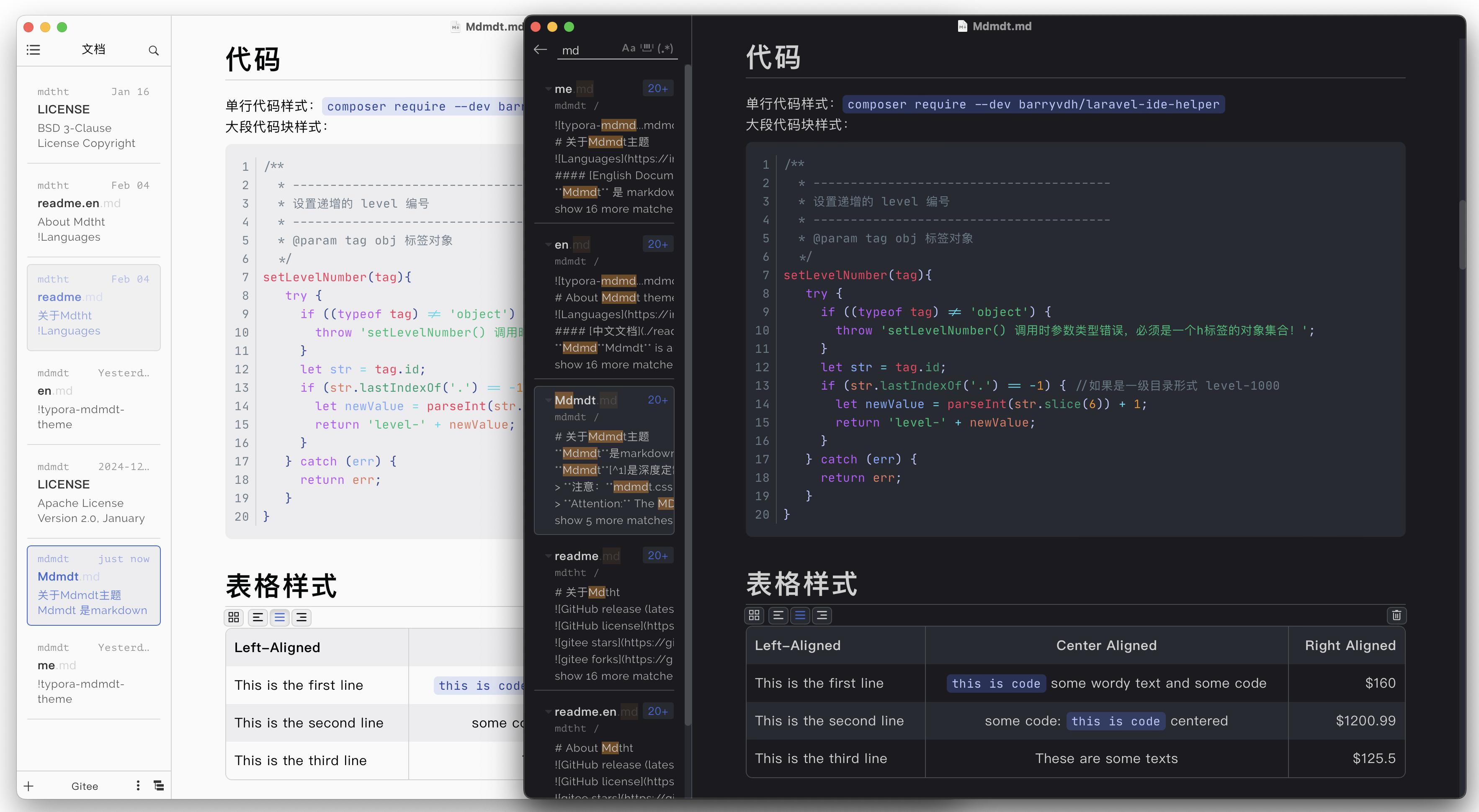
多张图其他排列方式
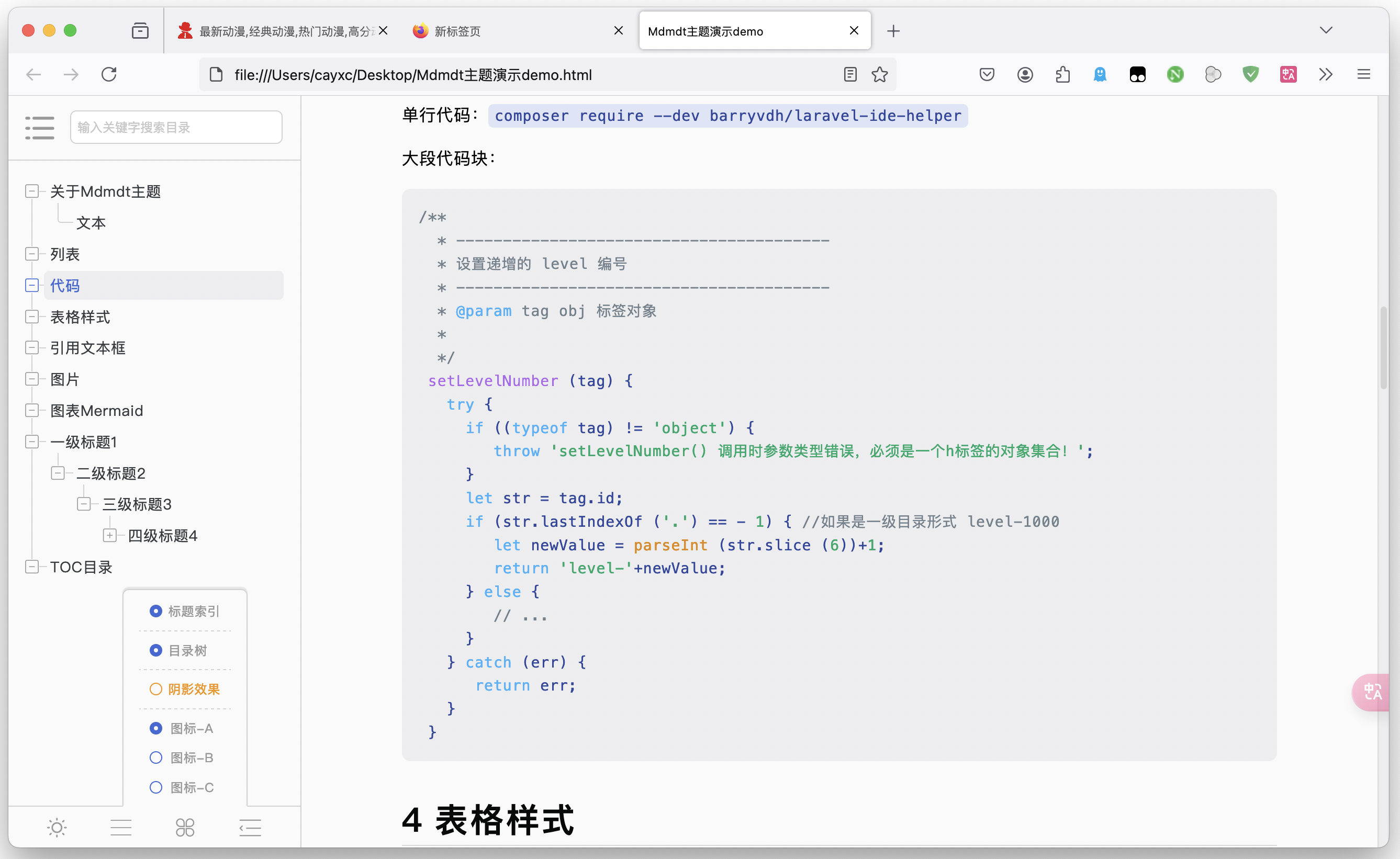
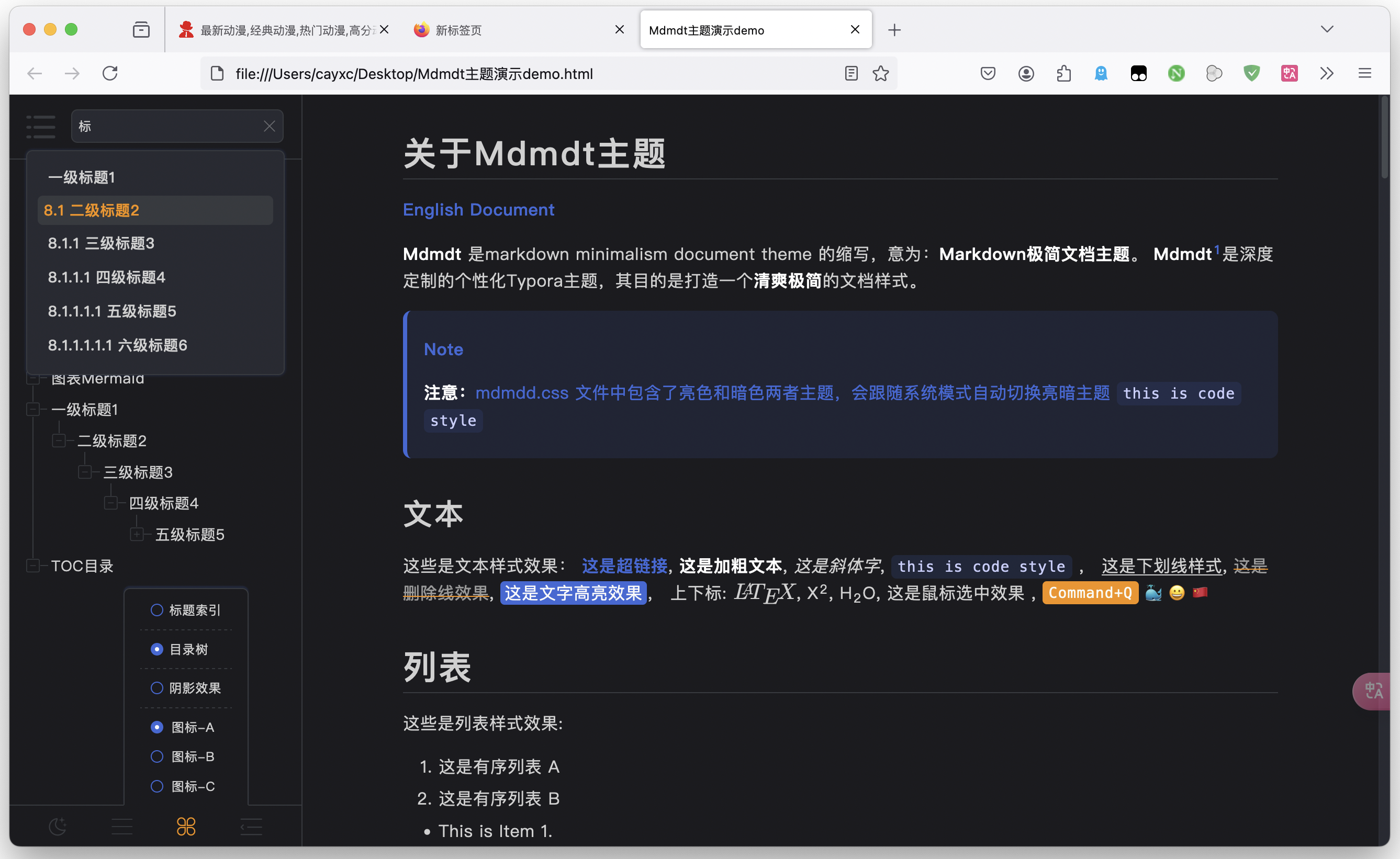
一张大图在左,多张小图在右的图片排列,如下:
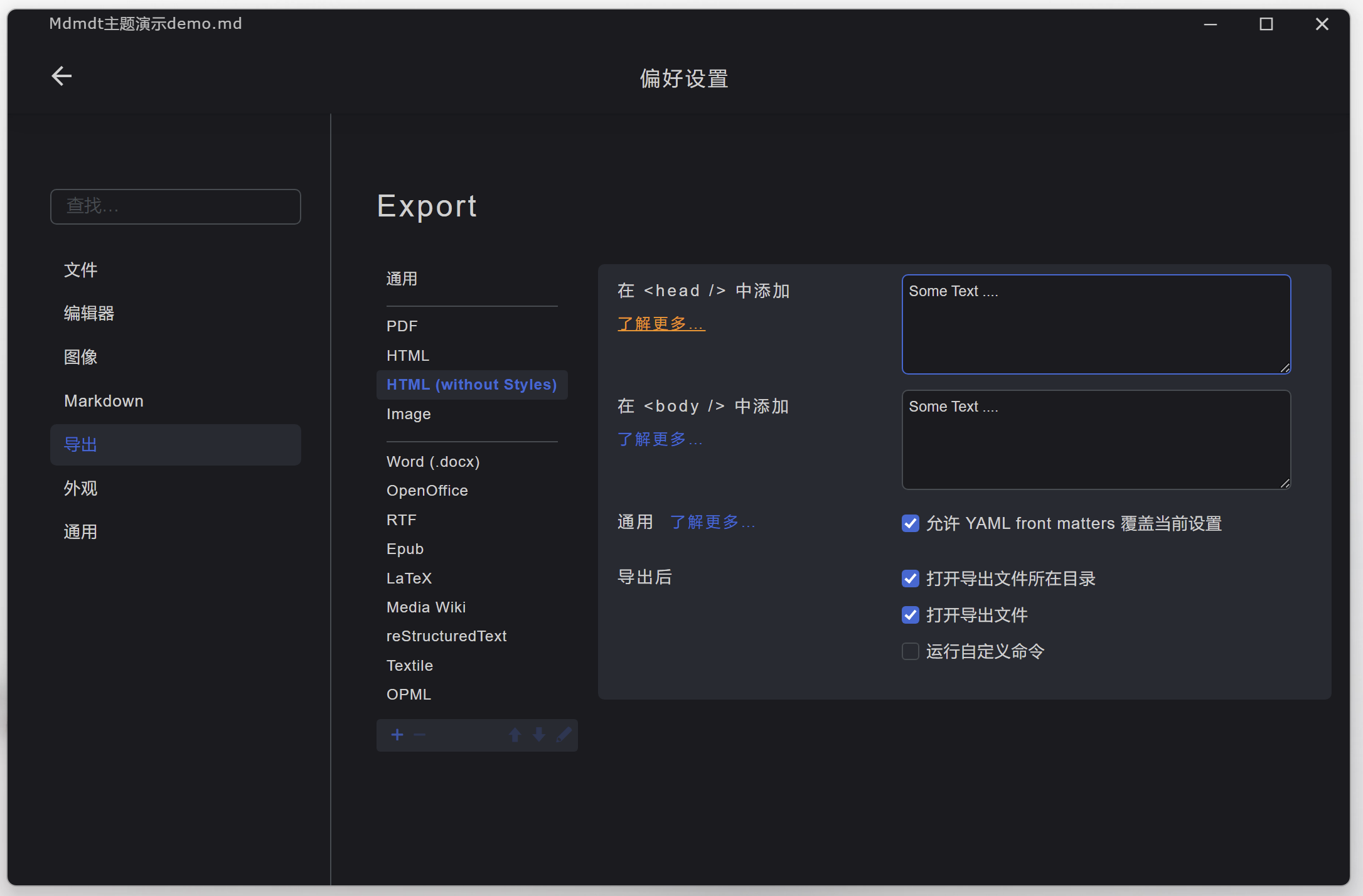
xxxxxxxxxx91<!-- 一张大图在左,多张小图在右 -->2<section> 3 <img src="https://EzXxY.github.io/img/06-theme/mdmdt-ui-1.png"></img> <!-- 这是第1列 -->4 <span style="width: 240px"> <!-- 这是第2列 -->5 <img src="https://EzXxY.github.io/img/06-theme/mdmdt-ui-2.png"></img>6 <img src="https://EzXxY.github.io/img/06-theme/mdmdt-code.png"></img>7 <img src="https://EzXxY.github.io/img/06-theme/mdtht-dark.png"></img>8 </span>9</section>效果预览:
一张大图在右,多张小图在左的图片排列,如下:
xxxxxxxxxx91<!-- 一张大图在右,多张小图在左 -->2<section> 3 <span style="width: 240px"> <!-- 这是第1列 -->4 <img src="https://EzXxY.github.io/img/06-theme/mdmdt-ui-2.png"></img>5 <img src="https://EzXxY.github.io/img/06-theme/mdmdt-code.png"></img>6 <img src="https://EzXxY.github.io/img/06-theme/mdtht-dark.png"></img>7 </span>8 <img src="https://EzXxY.github.io/img/06-theme/mdmdt-ui-1.png"></img> <!-- 这是第2列 -->9</section>效果预览:
图文并排
图文的个性化排列使用方式是将图片和文字放到一个容器中,该容器为 <section> 标签,如下所示:
直接输入
<section>然后回车,如下:xxxxxxxxxx31<section>23</section>在
<section>标签中插入图片和文字,如下:xxxxxxxxxx311<!-- 图片和单段文字排列示例 -->2<section>3<img src="https://EzXxY.github.io/img/06-theme/mdmdt-title.png"></img> <!-- 这是第1列 -->4<span>这是文字在右,图片在左,图片和文字各占总宽度的50%的图文并排的样式。</span> <!-- 这是第2列 -->5</section>678<!-- 图片和单段文字排列示例 -->9<section>10<span>这是文字在左,图片在右,图片和文字各占总宽度的50%的图文并排的样式。</span>11<img src="https://EzXxY.github.io/img/06-theme/mdmdt-title.png"></img>12</section>131415<!-- 图片和多段文字排列示例 -->16<section>17<img src="https://EzXxY.github.io/img/06-theme/mdmdt-title.png"></img> <!-- 这是第1列 -->18<span style="width: 150px"> <!-- 这是第2列,且单独设置该列的宽度为150px -->19<span>这是多段文字......</span>20<span>这是文字在右,图片在左,图片和文字各占总宽度的50%的图文并排的样式。</span>21<span>这是多段文字......</span>22</span>23</section>242526<!-- 图片居中,文字在两边的排列示例 -->27<section>28<span>这是第1列,这是图片居中,文字在两边的样式</span> <!-- 这是第1列 -->29<img src="https://EzXxY.github.io/img/06-theme/mdtht-dark.png"></img> <!-- 这是第2列, 单独设置图片的宽度为200px -->30<span>这是第3列,列的宽度比第1列小</span> <!-- 这是第3列 -->31</section>
效果预览:
这是单段文字,文字在右,图片在左,图片和文字各占总宽度的50%的图文并排的样式。
这是多段文字......
这是文字在右,图片在左,图片和文字各占总宽度的50%的图文并排的样式。
这是多段文字......
这是图片居中,两边是文字,且两边文字设置相同宽度的样式
这是第3列内容这是图片居中,两边是文字,且两边文字设置相同宽度的样式
需要注意:该列文字内容较多,且未设置宽度。列的宽度比第3列大
这是第3列内容
图片和文字,图片设置宽度示例:
xxxxxxxxxx111<!-- 这是文字在右,图片在左的示例 -->2<section>3   <img src="https://EzXxY.github.io/img/06-theme/mdmdt-title.png" style="width:200px"></img>4   <span>这是文字在右,图片在左,且设置图片的宽度(如图片宽可以设置为:200px)的图文并排的样式。</span>5</section>6
7<!-- 这是文字在左,图片在右的示例 -->8<section>9 <span>这是文字在左,图片在右,设置图片宽度为 200px 的图文并排的样式!</span>10 <img src="https://EzXxY.github.io/img/06-theme/mdmdt-title.png" style="width:200px"></img>11</section>效果预览:
这是文字在右,图片在左,且设置图片宽度(如图片宽可以设置为:200px)的图文并排的样式。
Important
注意:
由于图片排列的容器 <section> 采用的是grid布局,会根据 <section> 中有几列和每列里的内容自动分配每一列的宽度。
在进行图片、图片和文字排列时,如果将某一列的宽度设置为 xx%的形式,则该列的实际宽度并不一定是内容区宽度的 xx%,而是 <section> 容器中当前列宽度的 xx%,且当前列的宽度还受到了里面内容的影响。
基于以上原因,建议在单独设置某一列宽度的时候,尽可能采用具体的值(如: style="width: 200px"),不要采用 xx%(如: style="width: 50%")的形式。
示例:
xxxxxxxxxx191<!-- <section> 排列图片的容器,宽度为内容区(也就是书写区)的宽度 -->2<section>3    <!-- 此时是2列 -->4    <img src="https://EzXxY.github.io/img/06-theme/mdtht-dark.png"></img>5    <!-- 此处的 width:50% ,实际只有内容区宽度的25%(一共2列,每一列宽度50%,50%*50% => 25%)-->6  <img src="https://EzXxY.github.io/img/06-theme/mdtht-dark.png" style="width:50%"></img> 7</section>8
9<section>10    <!-- 此时是3列: img, span, span -->11    <img src="https://EzXxY.github.io/img/06-theme/mdmdt-title.png"></img>  <!-- 第1列 -->12    <span>....</span>  <!-- 第2列 -->13    <span>             <!-- 第3列 -->14    <span>这是其段落他文字...</span>15         <!-- 此处的 width:50% ,实际只有内容区宽度的16.5%(一共3列,每一列宽度33.33%,33.33%*50% => 16.65%)-->16         <span style="width:50%">这是多段文字</span>17         <span>这是其段落他文字...</span>18    </span>19</section>
除了以上展示的排列方式,更多的排列形式,还请自行探索 ......
图表Mermaid
以下是 Mermaid图表 部分示例,更多图表类型请参考:Mermaid图表
Flowchart
Sequence Diagram
State Diagram
一级标题1
二级标题2
三级标题3
四级标题4
五级标题5
六级标题6
TOC目录
以下是 [TOC] 目录样式
关于Mdmdt主题文本数学公式列表代码表格样式引用文本框个性化图文布局单张图片多图并排多张图其他排列方式图文并排图表MermaidFlowchartSequence DiagramState Diagram一级标题1二级标题2三级标题3四级标题4五级标题5六级标题6TOC目录